That Movie in Your Watchlist Has an Expiration Date — Here's How to Beat It
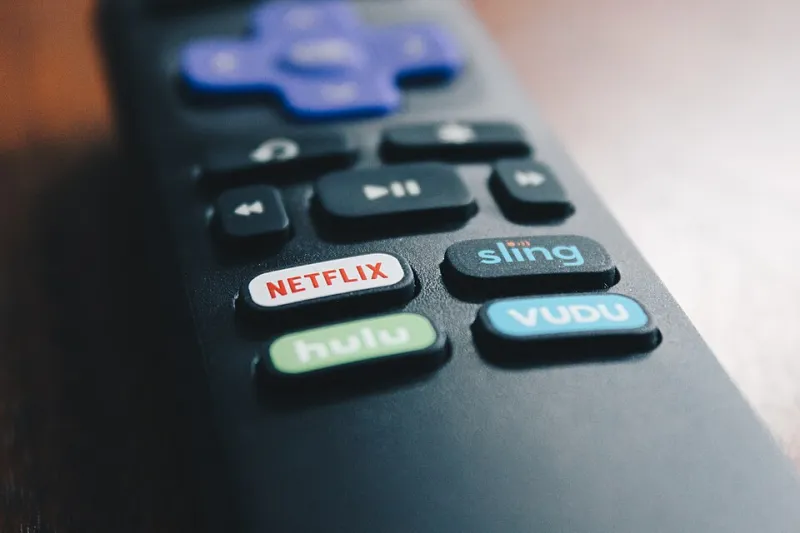
Photo: Flickr Stock Catalog, CC BY 2.0, via Wikimedia Commons
You know the feeling. You finally clear a Saturday night, open your watchlist, click on that movie you've been saving for months — and it's gone. Not paused, not moved. Gone. Maybe it's on a different service now, maybe it's nowhere, maybe it costs $5.99 to rent while you're already paying four subscriptions.
Welcome to the least glamorous part of the streaming era: licensing windows. Nobody writes think pieces about them, but they're the reason your library is a revolving door and your watchlist is basically a game of musical chairs.
First, the Uncomfortable Truth: You Don't Own Any of It
When you subscribe to Netflix, Max, or Hulu, you're not buying a library. You're buying temporary access to a library that's being leased piece by piece. Studios don't sell their catalogs to streamers outright anymore — they license them in chunks, usually for somewhere between six months and three years.
That means every movie and show on your home screen has a lease attached. When the lease is up, the title walks. And because different studios strike deals with different platforms at different times, your favorite film doesn't just vanish — it migrates. That's why The Office lived on Netflix for years, then packed its bags for Peacock, and why Friends bounced from Netflix to HBO Max like it was chasing a better agent.
The 30/60/90 Clock, Decoded
Here's the part most people never hear explained. When a film leaves theaters and heads to streaming, it typically moves through a series of "windows" — timed release phases that squeeze maximum revenue out of each stage:
- The premium window (roughly 30–45 days after theatrical): This is when a movie might hit PVOD — the $19.99 "premiere access" price. Studios love this window because they keep most of the money.
- The transactional window (around 60–90 days): Rental prices drop to the standard $5.99 range on Amazon, Apple TV, and Vudu/Fandango. This is the sweet spot for most viewers.
- The subscription window (usually 90 days to a year out): The film lands on a subscription service — often the studio's own platform (Disney+ for Disney, Peacock for Universal, Max for Warner Bros.).
Then, after that subscription deal runs its course, the title enters what the industry calls the "back catalog" phase, where it rotates between services on shorter deals or drops off entirely for a while. That's the phase where your watchlist lives — and dies.
Why Titles Always Seem to Leave Right When They Peak
It's not your imagination, and it's not sabotage. Two things collide here.
First, when a movie or show suddenly trends — say, a clip goes viral on TikTok or a sequel gets announced — licensing demand spikes. Other platforms will pay a premium to grab a hot title, so the current license holder either pays more to keep it or loses it at the worst possible moment.
Second, and this is the sneaky one: some expirations are deliberate. A studio will let a title lapse from a competitor's platform right before adding it to their own service, timed to a sequel release, an anniversary, or awards season. Your disappointment is a scheduled marketing event.
How to Actually Track This Stuff
The good news: expirations are rarely secret. They're just buried.
- Check the "Last day to watch" tags. Netflix, Hulu, and Max all flag departing titles with an expiration date on the detail page. Scroll past the "Play" button — it's usually in small print near the bottom.
- Use the tracker sites. JustWatch, Reelgood, and Can I Stream It? let you build a watchlist across services and will alert you when a title moves or disappears. Reddit's r/cordcutters and various fan wikis also keep running lists of monthly departures.
- Set a monthly calendar reminder. Most platforms announce their additions and removals on the same cycle each month (usually the last week of the prior month). One reminder on the 25th and you'll never be surprised again.
- Check before you commit. That two-hour movie you're about to start on a Tuesday night? If the expiration date is Wednesday, maybe save it for the weekend and rent it instead.
Rent It or Wait It Out? A Quick Decision Guide
So a title you want is expiring. Do you pay the rental, or gamble on the rotation? Here's the honest math.
Rent it if: it's leaving all platforms at once (a common trick around awards season, when studios pull titles to sell digital purchases), it's an older film with no obvious streaming home, or the rental is under $4. Three bucks to stop thinking about a movie forever is a fair deal.
Wait if: the title belongs to a studio with its own service — Disney, Universal, Warner Bros., and Paramount titles almost always come home eventually. Warner Bros. movies cycle back to Max; Universal stuff returns to Peacock. If the studio owns the platform, patience is basically free.
Don't bother either way if: it's a licensed series with a messy rights situation (looking at you, shows split across three services by season). Those can disappear for years.
The Bottom Line
Streaming promised us a bottomless library, and in a lot of ways it delivered. But the fine print was always there: bottomless for somebody, sometime, somewhere — just not necessarily on your subscription, this month.
So treat your watchlist like produce, not a pantry. Check the dates, watch the trends, and when something's about to expire and you've been meaning to get to it for eight months? That's the universe telling you to cancel your plans and press play tonight. The library won't wait — it literally can't.